

Mantra L1 Fingerprint Device Capture Revoked Problem Solution – Complete Guide 2026
Full Description
Introduction
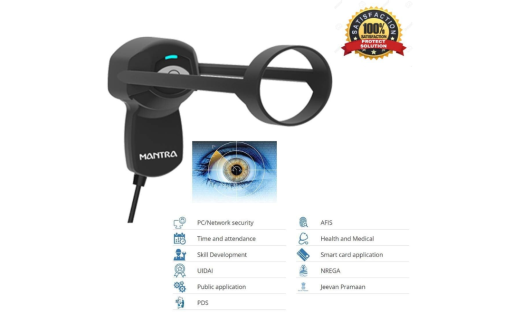
Are you facing the “Something Went Wrong – Capture Revoked” error while using your Mantra L1 fingerprint scanner?
Many CSC operators, banking correspondents, CSP agents and AEPS users experience fingerprint capture problems while using the Mantra MFS110 L1 biometric device.
This issue may occur due to RD Service problems, USB connectivity, outdated drivers, device registration or hardware-related faults.
In this guide, Dhairya Enterprises explains the possible reasons and troubleshooting steps to help you resolve the Mantra L1 Capture Revoked problem.
1. What Is Mantra L1 Capture Revoked Error?
Capture Revoked means the biometric capture process has been interrupted or rejected before successful completion.
Common error messages include:
-
Capture Revoked (-2118)
-
Capture Revoked (1001)
-
Something Went Wrong
-
Fingerprint Capture Failed
-
RD Service Not Ready
-
Device Not Detected
2. How to Solve Mantra L1 Capture Revoked Problem?
Follow these troubleshooting steps one by one.
Step 1: Check USB Connection
-
Disconnect the Mantra L1 device.
-
Connect it directly to another USB port.
-
Avoid using USB hubs or loose extension cables.
-
Check whether the device is detected by your computer.
Step 2: Restart Mantra RD Service
-
Press Windows + R.
-
Type
services.msc. -
Press Enter.
-
Find Mantra-related RD Service / AVDM service.
-
Right-click and select Restart.
-
Reconnect your fingerprint device and test again.
Step 3: Update RD Service and Drivers
-
Check whether the latest compatible Mantra L1 RD Service is installed.
-
Update the MFS110 device driver.
-
Uninstall outdated software if necessary.
-
Restart your computer after installation.
Always download software from the official Mantra website.
Step 4: Check RD Service Validity
Mantra MFS110 comes with an RD Service subscription. Check its validity and renewal status.
If the subscription has expired, contact Mantra for official renewal.
Step 5: Test on Another Computer or Application
Try your Mantra L1 device on another compatible computer or supported banking application.
This can help identify whether the issue is related to the computer, software or biometric device.
3. Is Capture Revoked (-2118) a Hardware Problem?
Not necessarily.
If the same error continues after checking USB connectivity, RD Service, drivers and device validity, the scanner may require technical inspection.
If the device shows the same error on multiple compatible systems, contact Mantra’s official technical support for diagnosis and repair.
Repeatedly reinstalling software without identifying the actual problem may not help.
4. Official Mantra L1 Support
For technical assistance, contact the official Mantra support team.
-
Support Number: 079-69268000
-
Alternate Number: 079-49068000
-
Official Support Portal: https://servico.mantratecapp.com/
-
Official Driver Download: https://servico.mantratecapp.com/Home/Drivers.html
5. Where Can You Buy Mantra L1 MFS110?
Looking for an original Mantra L1 MFS110 fingerprint scanner?
Dhairya Enterprises provides biometric devices and banking-related accessories for CSC operators, banking correspondents, CSP agents and business users.
We deal in biometric devices for Aadhaar-based authentication and supported banking applications.
Visit our website:
https://dhairyaenterprisesindia.com/
Contact Dhairya Enterprises for product availability and purchasing assistance.
Frequently Asked Questions (FAQ)
Q1. Why does Mantra L1 show Capture Revoked (-2118)?
This error may be caused by RD Service interruption, connectivity, driver issues or a possible device hardware fault.
Q2. Can Capture Revoked Error 1001 be fixed?
Yes, depending on the cause. Check RD Service, device connectivity, validity and software compatibility.
Q3. Does Mantra L1 require RD Service?
Yes. The MFS110 L1 requires compatible Registered Device (RD) Service for supported Aadhaar authentication applications.
Q4. What should I do if Mantra L1 is still not working?
Test the device on another compatible system. If the problem continues, contact Mantra’s official service team.
Q5. Is Mantra MFS110 suitable for banking applications?
It is an L1 fingerprint device designed for supported Aadhaar authentication and e-KYC applications. Actual compatibility depends on the application or service provider.
Conclusion
The Mantra L1 Capture Revoked problem can have multiple causes. Before replacing your fingerprint scanner, check the RD Service, drivers, USB connection and subscription validity.
For genuine biometric devices and product assistance, connect with Dhairya Enterprises.
Dhairya Enterprises – Your Trusted Partner for Biometric and Banking Devices.


Add comment
You must be logged in to post a comment.